
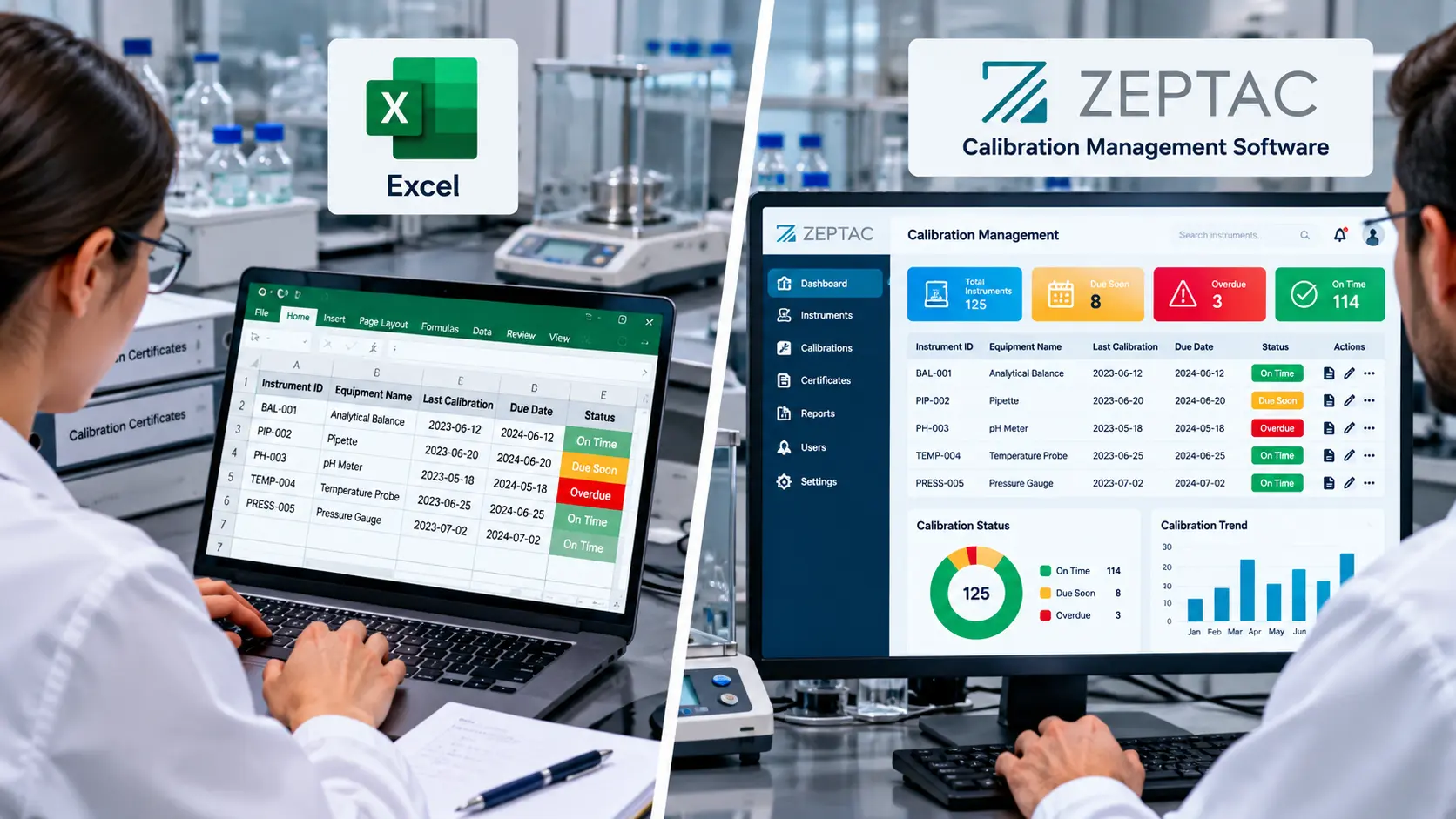
Every calibration spreadsheet starts the same way: a short instrument list, a due-date column, maybe a folder of PDF certificates. It works — until an auditor asks for reverse traceability on a failed gauge, or two people edit the same row and the “history” quietly overwrites itself. The question is not whether Excel can list due dates. It can. The question is whether it can protect the measurement data your quality decisions depend on.
This guide compares calibration management software VS Excel honestly: where spreadsheets genuinely work, where they quietly fail, the bigger risk that has nothing to do with reminders, and how to know it is time to move.
| Quick answer
Excel is fine for a handful of instruments, one owner, and low audit pressure. It quietly fails as soon as more than one person edits the sheet, due dates rely on manual checks, or an auditor asks a question the spreadsheet cannot answer with certainty. The bigger risk is not missed reminders — it is that a spreadsheet cannot preserve as-found data, uncertainty, or reverse traceability once a cell gets overwritten. |
Calibration Management Software vs Excel: Guide
Where Excel Still Works
- A small number of instruments to track.
- One person owns updates end to end.
- Calibration cycles are simple and stable.
- Audit requests are rare and lightweight.
If that describes your lab today, a well-built spreadsheet is a reasonable starting point. The trouble is that none of those conditions tend to hold as a lab grows.
Where Excel Quietly Fails
- Multiple people edit the same sheet, and version conflicts corrupt records.
- Due dates depend on someone remembering to check a formula or a filter.
- A failed calibration gets buried in a comment or a coloured cell instead of a structured event.
- Certificates live scattered across folders, emails, and shared drives.
- History gets overwritten rather than preserved — a corrected value replaces the old one instead of adding to it.
You rarely feel this risk day-to-day. You feel it all at once, during a customer audit, a quality review, or the moment an instrument is found out of tolerance and someone asks what it measured last month.
Calibration Management Software vs Excel: Side by Side
| Capability | Excel | Calibration Software |
| Due-date reminders | Manual checking | Automated alerts |
| Overdue visibility | Formula-dependent | Live dashboard |
| Failed calibration handling | Inconsistent notes | Structured workflow |
| As-found / as-left data | Often skipped or overwritten | Captured as discrete, permanent events |
| Reverse traceability | Manual reconstruction | Instant — what did this instrument touch? |
| Measurement uncertainty | Rarely recorded | Tracked as part of the record |
| Audit readiness | Prep-heavy | Export-ready records |
| Scale (20 to 500+ assets) | Fragile | Designed to scale |
The Real Risk Isn’t Missed Reminders — It’s Measurement Integrity
Most “Excel vs software” comparisons stop at scheduling: reminders, dashboards, overdue counts. That is real, but it is not the biggest risk. A calibration record is not just a due date — it is evidence that a measurement can be trusted. Two things a spreadsheet structurally cannot guarantee are as-found data and reverse traceability.
As-found data is the reading taken before any adjustment — the only way to know whether measurements made since the last calibration were valid. In a spreadsheet, a technician who adjusts an instrument and then types in the new value has, unintentionally, erased the evidence. When an instrument is later found out of tolerance, reverse traceability means instantly knowing which batches, tests, or products it touched since its last good calibration. A spreadsheet has no structural way to answer that question quickly — it means searching rows, dates, and memory under audit pressure, which is precisely when accuracy matters most.
The Hidden Cost of “Free”
Excel costs nothing in licence fees and quite a lot in labour and risk: manual reminder checks every week, rebuilding broken formulas and files, chasing certificate numbers before an audit, and reconstructing history after someone leaves the team and takes their tribal knowledge with them. None of that shows up as a line item — until an audit or an out-of-tolerance event forces it into the open all at once.
When to Switch From Excel
A practical trigger: if two or more of the following are true, switching now is usually the safer choice.
- You have missed at least one due calibration in the last year.
- Audit preparation still means manually digging through folders and sheets.
- More than one person edits calibration data.
- You cannot pull up a reliable timeline for a given instrument.
- You are adding instruments faster than your process can handle.
- You operate under ISO/IEC 17025, NABL, or another regime where certificates must show uncertainty and traceability.
A Low-Risk Migration Approach
- Scope first: Start with active, currently-used instruments only — do not try to migrate everything at once.
- Import recent data first: Bring in the latest calibration event per instrument before backfilling older history.
- Define intervals properly: Set due-date and reminder rules per instrument type, based on risk and usage, not a blanket interval.
- Standardise exception workflows: Decide in advance how a failed calibration and an out-of-service instrument are handled, so it is not improvised mid-crisis.
- Test before you trust it: Run one mock audit against the new system before relying on it for a real one.
How Zeptac Helps
Zeptac’s CalTac is calibration management software built around the measurement-integrity gap that Excel — and even a lightweight reminder tool — cannot close:
- Automated scheduling: due-date tracking, alerts, and a live dashboard remove the manual-check risk entirely.
- Append-only measurement records: every calibration is a permanent, structured event — as-found and as-left data captured and preserved, never overwritten.
- Reverse traceability built in: an out-of-tolerance finding instantly shows what that instrument touched since its last good calibration, no manual reconstruction.
- Metrology-grade compliance: records and workflows aligned to ISO/IEC 17025 and NABL, with certificates that carry the uncertainty a spreadsheet rarely does.
The result is not just fewer missed due dates — it is calibration data your lab can actually defend.
Conclusion
Excel is a perfectly good way to start tracking calibration, and a genuinely risky way to keep doing it as a lab grows. The visible failure is missed reminders and audit-prep stress; the deeper one is that a spreadsheet cannot structurally protect as-found data or answer a reverse-traceability question under pressure. If calibration affects quality, uptime, or compliance in your operation, moving to purpose-built calibration management software is not a convenience upgrade — it is basic risk control for the measurements your business runs on.
| Move beyond spreadsheets without losing metrology
Looking to replace Excel with calibration management software that actually protects your measurement data? Zeptac’s CalTac platform delivers automated scheduling, as-found/as-left records, reverse traceability, and ISO 17025 / NABL-aligned compliance. Contact our team today to schedule a free demo. |
Frequently Asked Questions for Calibration Management Software vs Excel
Q1. Can Excel be enough for calibration tracking?
Answer: Yes, for very small labs with one owner, a handful of instruments, and low audit pressure. As instrument count, team size, and audit scrutiny grow, manual checks and version-control issues increase risk quickly.
Q2. When should a lab move from Excel to calibration software?
Answer: A practical trigger is two or more warning signs together: a missed due date in the last year, manual audit preparation, multiple people editing the same sheet, inconsistent failure handling, or no reliable per-instrument history.
Q3. What does Excel struggle to do that calibration software handles well?
Answer: Two things in particular: preserving as-found data (the reading before any adjustment) rather than letting it be overwritten, and reverse traceability — instantly identifying what an instrument measured since its last good calibration when it is found out of tolerance.
Q4. Do I need a full LIMS to replace spreadsheets?
Answer: Not usually. Many labs are well served by calibration-focused software before considering a full laboratory information management system. The right first step is closing the scheduling and measurement-integrity gaps, not adding enterprise complexity.
Q5. What is the hidden cost of using Excel for calibration?
Answer: Licence-free does not mean free. The real cost shows up as manual reminder checks, time spent rebuilding broken formulas, chasing certificates before audits, and reconstructing instrument history after staff turnover — costs that surface all at once during an audit or an out-of-tolerance event.
Q6. Is a spreadsheet ever compliant with ISO/IEC 17025?
Answer: A spreadsheet can technically hold the required data, but demonstrating traceability, measurement uncertainty, and an unbroken audit trail becomes increasingly difficult to defend as records grow and multiple people touch the same file. Purpose-built software is built to satisfy those requirements by default.